WireGuard vs OpenVPN: The Real Speed and Security Differences
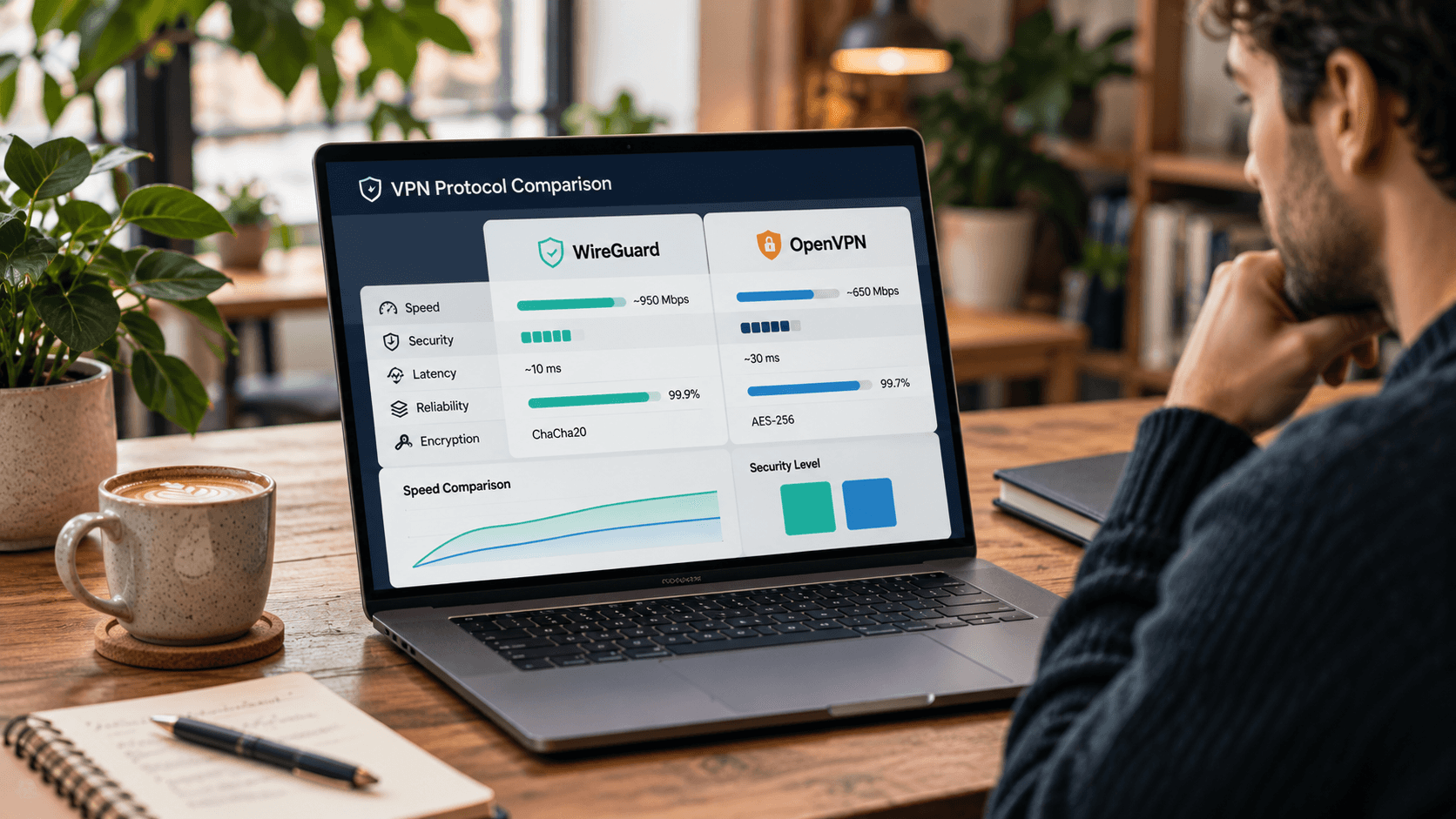
The protocol is the set of rules your VPN app uses to build the encrypted tunnel, and it has a bigger effect on speed than most settings. Today the choice usually comes down to WireGuard and OpenVPN. Here is how they differ and when to use each.
The short answer
For most people on most networks, WireGuard is the better default: it is usually noticeably faster, connects almost instantly and handles switching between Wi-Fi and mobile data better. OpenVPN remains useful on restrictive networks and in setups where its maturity and flexibility matter.
Why WireGuard is usually faster
- A much smaller codebase. WireGuard is a few thousand lines of code, while OpenVPN plus the cryptography library it relies on runs to hundreds of thousands. Less code means less processing per packet and a smaller surface for bugs.
- Modern, fixed cryptography. WireGuard uses a single modern suite (ChaCha20-Poly1305 for encryption and Curve25519 for key exchange) instead of negotiating between many options.
- Built into the operating system. WireGuard has been part of the Linux kernel since version 5.6 in 2020 and runs efficiently on other platforms, avoiding some of the overhead OpenVPN has from running in user space.
- Fast connections and roaming. WireGuard re-establishes the tunnel almost instantly when your network changes, which is especially noticeable on phones.
How big the difference is depends on your connection, device and server distance. On a fast line with a powerful device, WireGuard often lets you keep most of your base speed, while OpenVPN can become the bottleneck. On slower connections the gap matters less.
Security: is one safer than the other?
Both are considered secure when implemented properly. OpenVPN has a long track record and has been audited extensively over many years. WireGuard is newer but was designed with simplicity and auditability in mind, and its small size makes it easier to review.
The main privacy debate around WireGuard was that its basic design assigns each user a fixed internal IP address on the server. Reputable VPN providers solve this in their own implementations, for example NordVPN's NordLynx uses a double network address translation system so the server does not need to keep your identity linked to your address.
When OpenVPN still makes sense
- Restrictive networks. OpenVPN can run over TCP port 443, the same port as normal HTTPS traffic, which makes it harder to block on hotel, school or corporate networks. WireGuard uses UDP only.
- Obfuscation. Many providers build their stealth or obfuscated modes on top of OpenVPN, which helps in countries that actively block VPNs.
- Compatibility. Older routers and some business systems support OpenVPN but not WireGuard.
What about other protocols?
- Lightway (ExpressVPN) and NordLynx (NordVPN) are provider-specific options focused on speed. NordLynx is built on WireGuard; Lightway is ExpressVPN's own open-source design.
- IKEv2/IPsec is fast and stable on mobile devices and is a good fallback when WireGuard is unavailable.
- PPTP is outdated and insecure. Avoid it entirely.
How to choose in your VPN app
- Leave the protocol on Automatic or choose WireGuard (or the provider's version of it) as your default.
- If connections fail on a particular network, switch to OpenVPN TCP or the app's stealth or obfuscation mode.
- Pick a nearby server: distance affects speed more than almost any setting.
- Run a speed test before and after connecting to see the real impact on your own line.
Bottom line
WireGuard is the right default for speed and convenience, and nearly every leading provider now supports it. Keep OpenVPN in reserve for networks that try to block VPNs. Our full rating shows which providers support both, and our guide to whether a VPN slows down your internet covers the other factors that affect speed.