Torrenting Safely: What a VPN Does (and Doesn't) Protect You From
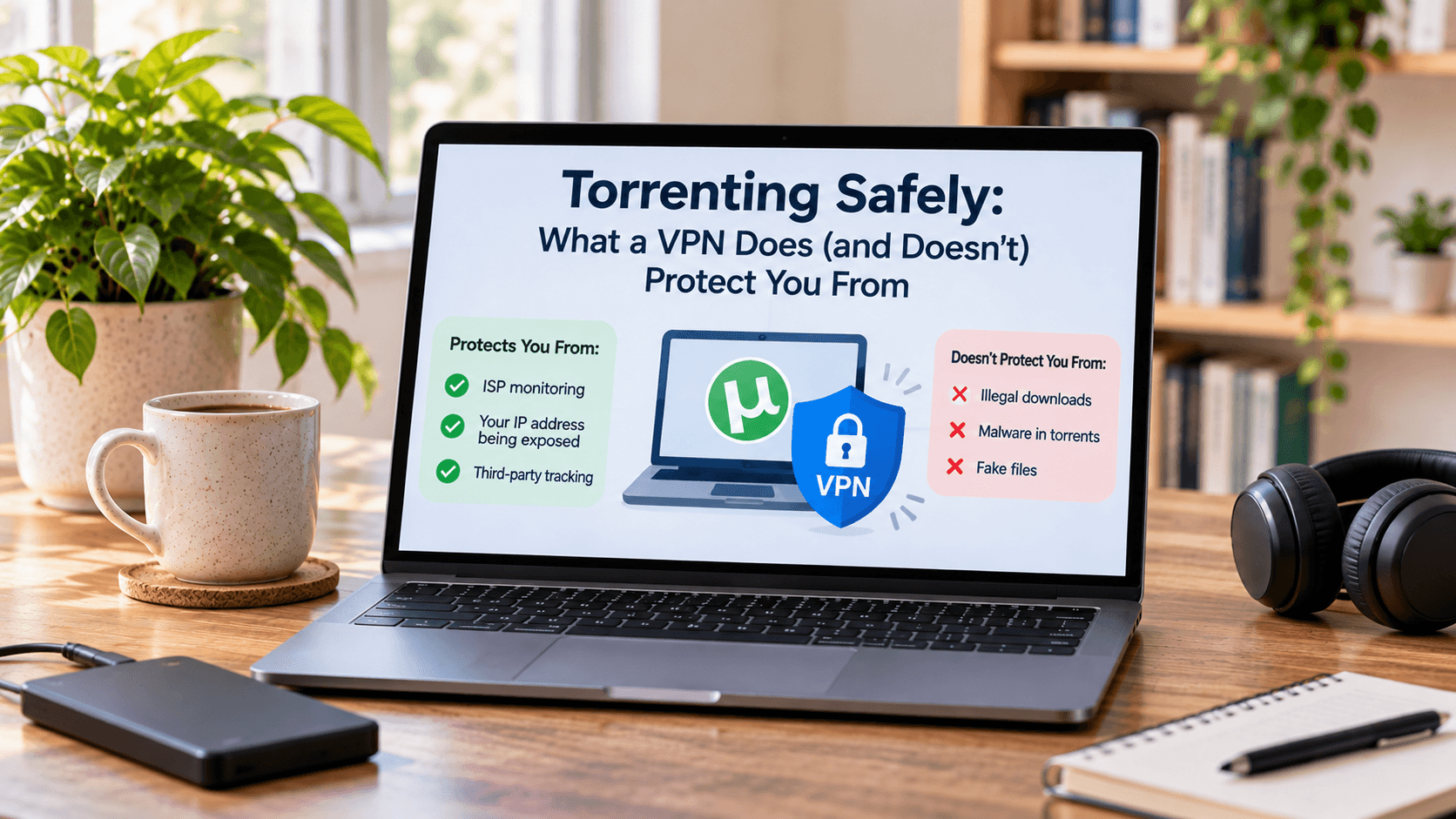
BitTorrent works by connecting you directly to other people sharing the same file. That means everyone in the swarm can see your IP address, and so can companies that monitor torrents for copyright enforcement. A VPN changes that, but it is not a complete shield, and it does not change what is legal. Here is what it does and does not do.
What a VPN protects
- Your IP address from peers. Other users and monitoring companies see the VPN server's IP instead of yours.
- Your activity from your internet provider. Your ISP sees encrypted traffic to a VPN server but not what you are downloading, which also helps if your ISP throttles P2P traffic.
- Your connection on public Wi-Fi. Everything is encrypted between your device and the VPN server.
What a VPN does not do
- It does not make copyright infringement legal. Downloading or sharing copyrighted material without permission is illegal in many countries with or without a VPN. Use torrents for legal content such as Linux distributions, public-domain media and files creators choose to share.
- It does not protect you from malware. Files from untrusted sources can still contain malware. Keep antivirus software running and avoid executables from unknown uploaders.
- It does not hide you from private trackers. If you log in to a tracker account, the tracker knows it is you.
- It does not help if it leaks. A misconfigured setup can expose your real IP, which is why the settings below matter.
Choosing a VPN for torrenting
Look for:
- P2P allowed on all servers or on clearly labeled P2P servers.
- A proven no-logs policy, ideally backed by an audit or a real-world test.
- A kill switch that blocks traffic if the VPN drops.
- Port forwarding, which lets more peers connect to you and often improves speeds and availability.
Private Internet Access offers port forwarding and has a court-tested no-logs record. Proton VPN supports port forwarding on its P2P servers. NordVPN has dedicated P2P servers, and Windscribe supports port forwarding through static IPs. Mullvad still allows P2P but removed port forwarding in 2023. See our best VPN for torrenting list.
Settings that prevent leaks
- Turn on the kill switch in your VPN app, and use the always-on or system-wide version if available.
- Bind your torrent client to the VPN interface. Clients such as qBittorrent let you choose a network interface so they only work through the VPN and stop if it drops.
- Check for IPv6 and DNS leaks. Good VPN apps block these by default; leak-test sites can confirm it.
- Connect to a P2P server if your provider uses them.
- Enable port forwarding if your provider supports it, then enter the forwarded port in your torrent client.
- Start the VPN before the torrent client, and close the client before disconnecting.
A simple leak test
Many sites let you check which IP address torrent peers see by adding a special magnet link to your client. If it shows your VPN server's IP, your setup is working. If it shows your real IP, stop and fix your settings before downloading anything.
Bottom line
A VPN with a proven no-logs policy, a kill switch and port forwarding keeps your IP address out of torrent swarms and your activity away from your internet provider. It does not make illegal downloads legal or protect you from malware, so use it as one part of safe, legal file sharing.